
The developer of the popular privacy tool DoNotSpy10 released DoNotSpy11 for Windows 11 Pro on May 24, 2022. The tools give users control over more than 140 privacy related features on Windows devices.
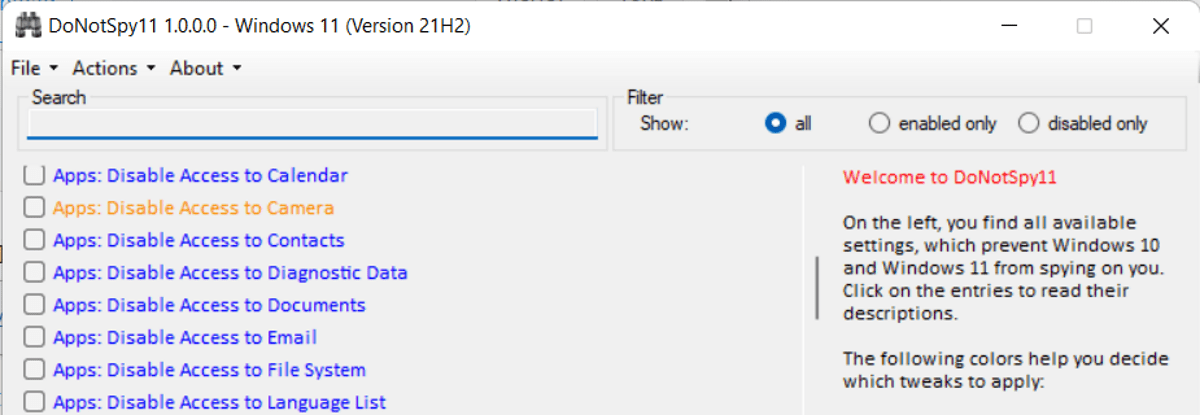
We reviewed DoNotSpy10 in 2015 when it was released for Microsoft’s Windows 10 operating system. We found it to be a good tool to adjust Windows settings related to privacy quickly and efficiently. We did not like the included adware offer back then, but this is a thing of the past as it is no longer included.
DoNotSpy11 uses the core of the Windows 10 application. In fact, it supports Windows 10 and 11 systems alike. The interface is identical, but that is not necessarily a bad thing, considering that users will feel right at home. It is streamlined and easy to use.
First thing you need to do is download the latest version of the application from the developer website. Windows 11 may throw a SmartScreen warning on first run; the developer states that it is thrown because the application is not signed.
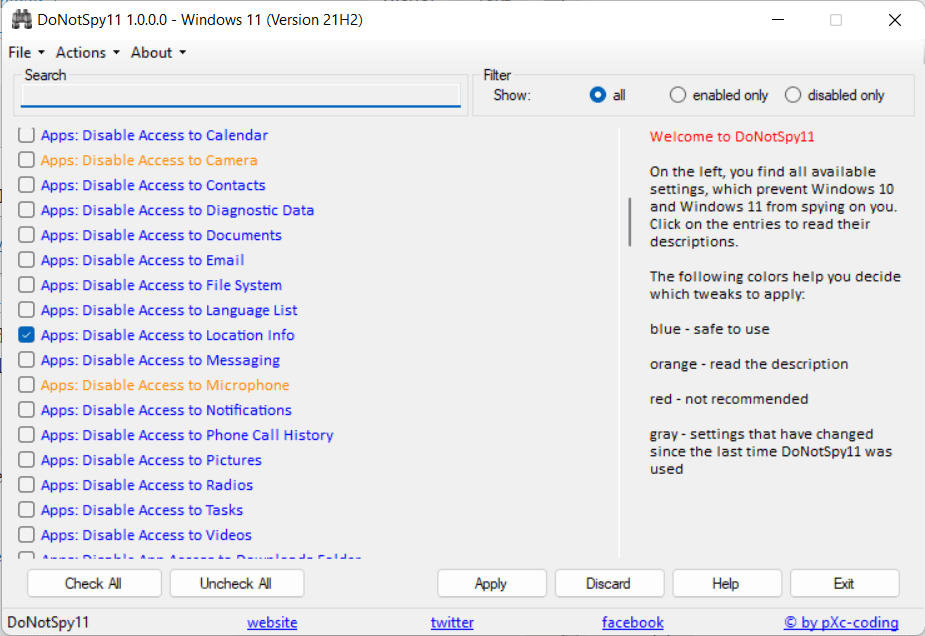
All available tweaks are listed in the main interface. Tweaks are sorted into categories, and a search is provided that helps you filter the large list.
When you select a tweak, a description is provided that may provide additional information on the functionality of the feature that it controls.
Checked tweaks are enabled on the device already. Each tweak has a color assigned to it that provides safety information. Blue tweaks are safe to use, red tweaks not recommended for the majority of users. Orange tweaks have info text that provides explanation, and gray colored tweaks highlight changes since the last time the app was started.
DoNotSpy11 supports the manual creation of a system restore point via the Actions menu, but it will also display a system restore point before any changes are made.
As far as differences to DoNotSpy10 are concerned, there are some. DoNotSpy11 detects Office and will display Office-specific tweaks in the case of detection. The following Office-specific privacy tweaks are supported in the current version:
Tweak added: Office: Disable First Run Movie
Tweak added: Office: Disable Customer Experience Improvement Program
Tweak added: Office: Disable Feedback
Tweak added: Office: Disable Sending Personal Information
Tweak added: Office: Disable Telemetry
Tweak added: Office: Disable Connected Experiences That Analyze Content
Tweak added: Office: Disable Connected Experiences That Download Online Content
Tweak added: Office: Disable Additional Optional Connected Experiences
Tweak added: Office: Disable In-Product Surveys
Tweak added: Office: Block Signing Into Office
Tweak added: Office: Disable LinkedIn Features
Several Windows 11 specific tweaks are also available. Users may disable Search Highlights, Windows Spotlight on Desktop, or the display of Office.com Files in Explorer. You find the full changelog on the developer’s website.
Closing Words
DoNotSpy11 is a well designed privacy application for Windows. It supports the latest Windows 10 and 11 builds, and is regularly updated with new tweaks.
Now You: do you use privacy applications to tweak your operating systems?
Author Rating
Software Name
DoNotSpy11
Operating System
Windows
Software Category
Privacy
Landing Page
Advertisement


